National Geographic Live
National Geographic Live
Project Overview
Team size: 7
My Role: Lead Designer
Project Impact: Increased findability of events and speakers, more clarity around event details, more bookings through the site
My Favorite Part: Working with the developers to problem solve, working on a site that would be public
Problem
National Geographic Live is Nat Geo's way of touring some of their Explorers. The public can buy tickets to these events in their city since the Explorers travel on tour to deliver their speech. Often, the public would hear about an event, either through marketing (e.g., Facebook, Insta, etc.) or through nationalgeographic.org. Regardless of how they got there, they were directed to an out-of-date site that wasn't responsive from screen to screen, didn't offer useful information, and often prevented users from buying a ticket. Our team was tasked with creating a new site, based roughly on some old mockups.
Evaluating the Mockups
The first step of my process was to evaluate the mockups. My original task was simple: take the PDF mockups and translate them directly into Figma and solve any huge problems I could see as I did so.
As I begin building in Figma, I quickly realized the mockups had some serious problems. For instance, the search filters had options that weren't possible (we didn't have the metadata), offered no way to narrow down results, didn't provide useful information on the event times/locations, and was clearly not built in a way that would be responsive.
Tackling Search
My team and I first tackled the search experience. We laid out the data that was available (time/date, location, speaker, topic, etc.) and mocked up a few versions to show the Nat Geo Live team, who had final sign off on the look and feel. They chose the version you see below. It had a keyword search that pulled relevant keywords from the event detail page, location and topic searches, and a calendar that could be used for filtering.
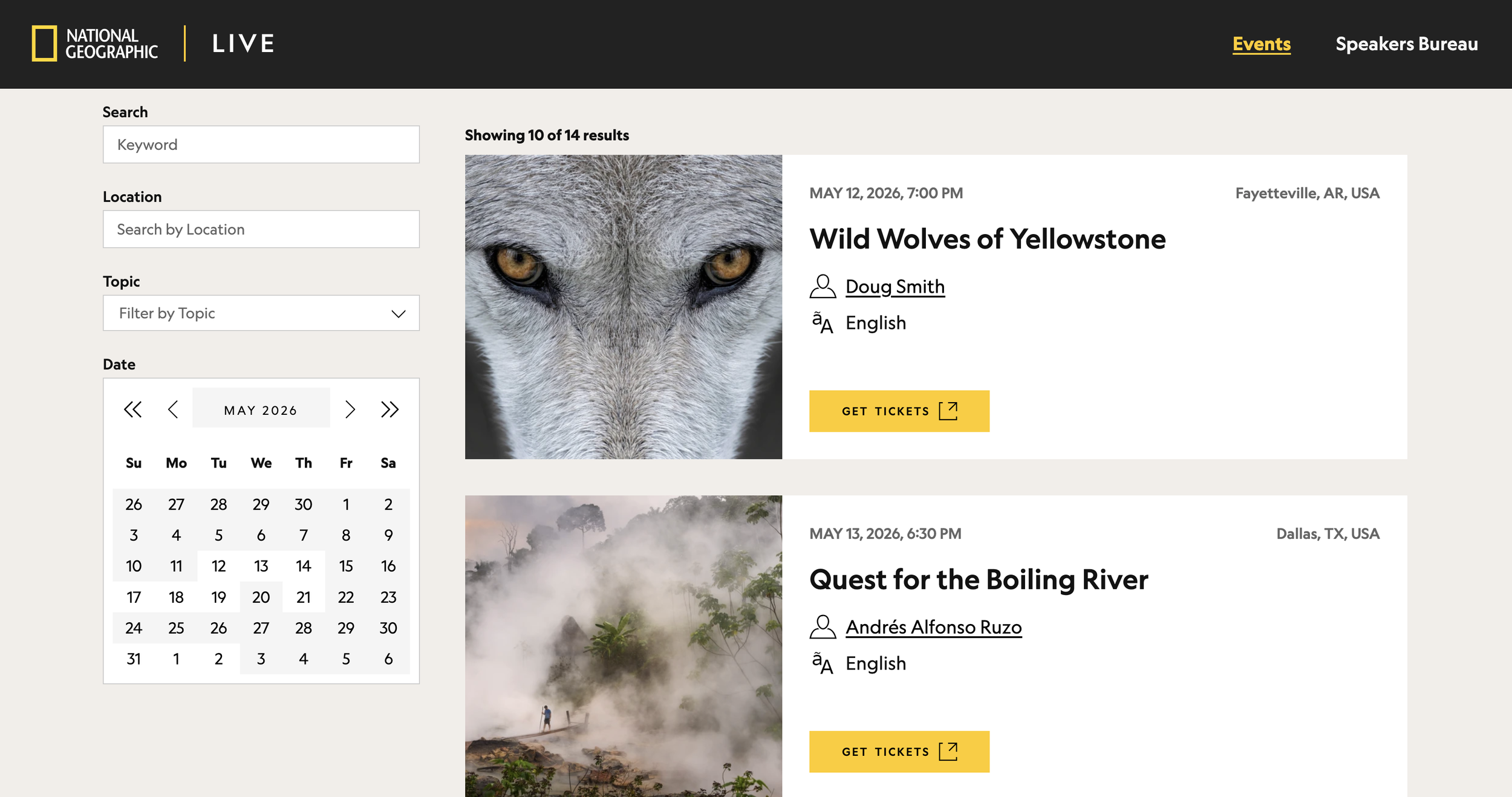
We also had to think about the most relevant details on the card. Since we had some user feedback, we prioritized the speaker name (linked to the speaker's detail page), and the language that the event would be held in. We also added the time and date and location, since those are obvious requirements for an event card, as well as a button that would launch a new tab where the tickets could be purchase. All of this was done so that the user didn't have to open the details page to buy a ticket unless they wanted to. This is especially helpful for repeat visitors who've already been to the details page on a previous visit and now just want to buy a ticket.
Another tricky part of this was determining the multiple states of the card. Sometimes, events can be listed months in advance, before the venue is prepared to sell tickets on their site. In those cases, the card changes the Get Tickets button to See Details, so the user can open the details page and see all of the dates/times that the event will be held.
The Details Page
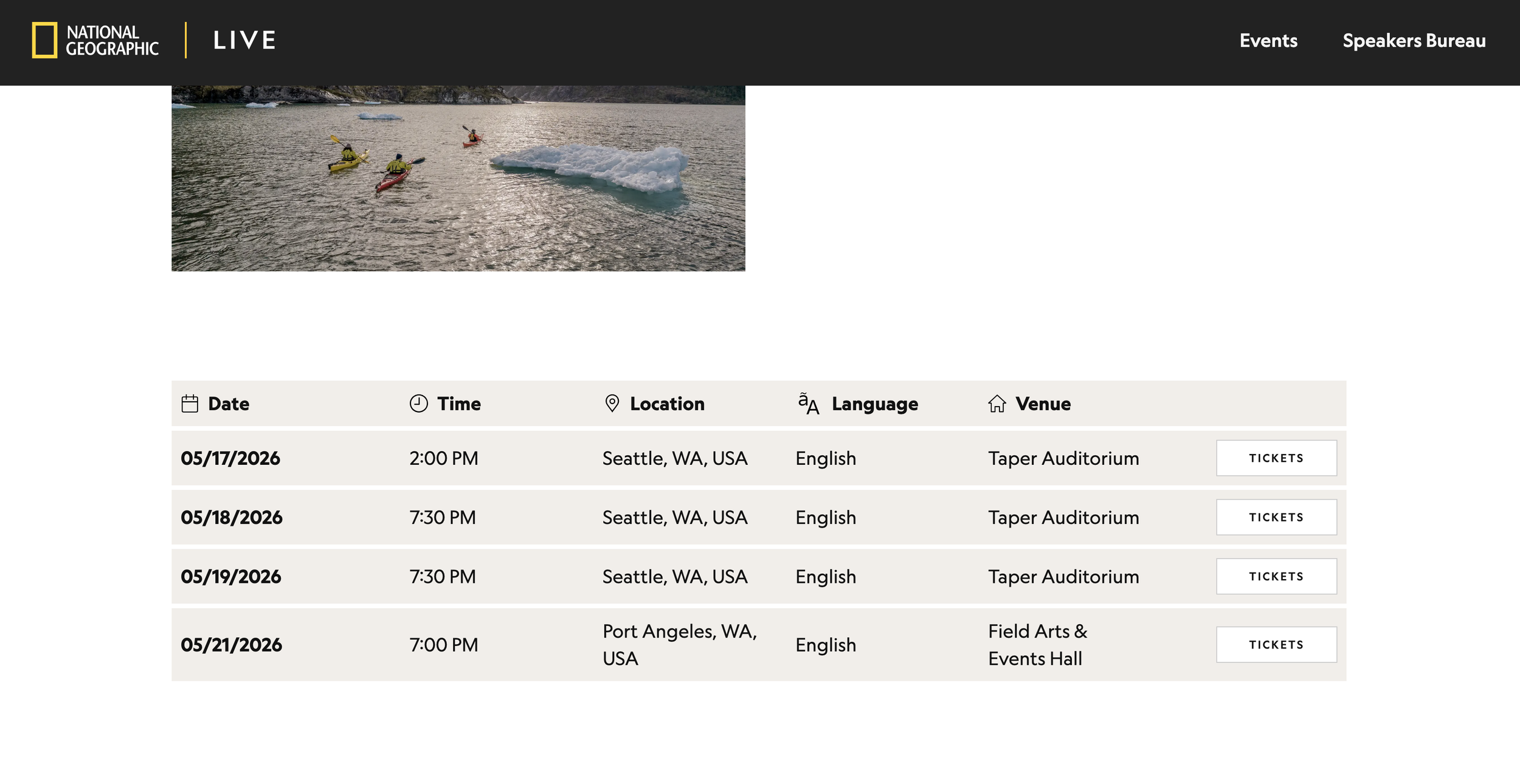
Every event needed its own detail page to show in-depth information for the user. On this page we worked with the Nat Geo Live team to determine what kinds of information they most wanted to share. These included photos, the event details in every city they'd be in, as well as tickets and venue information.
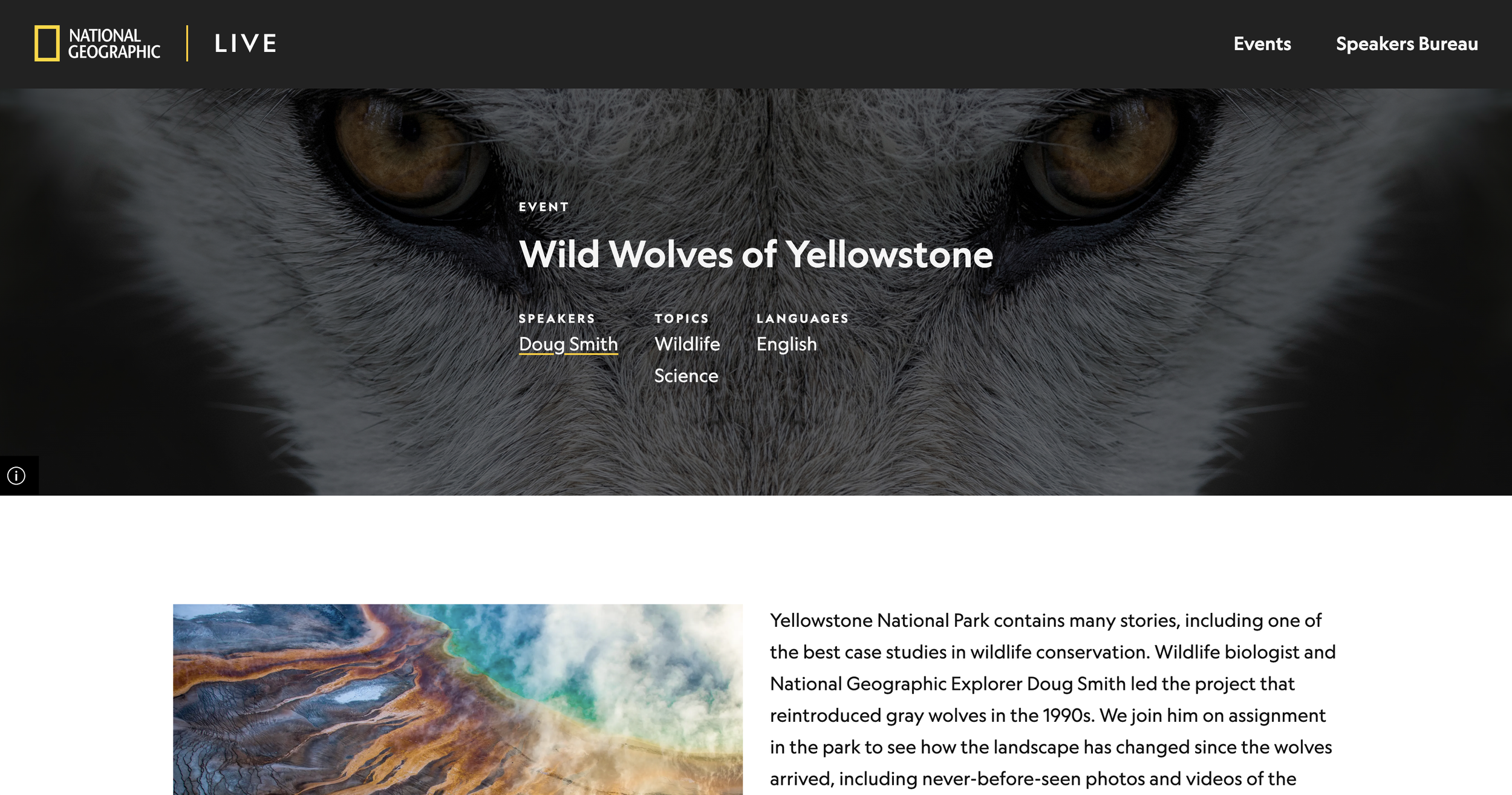
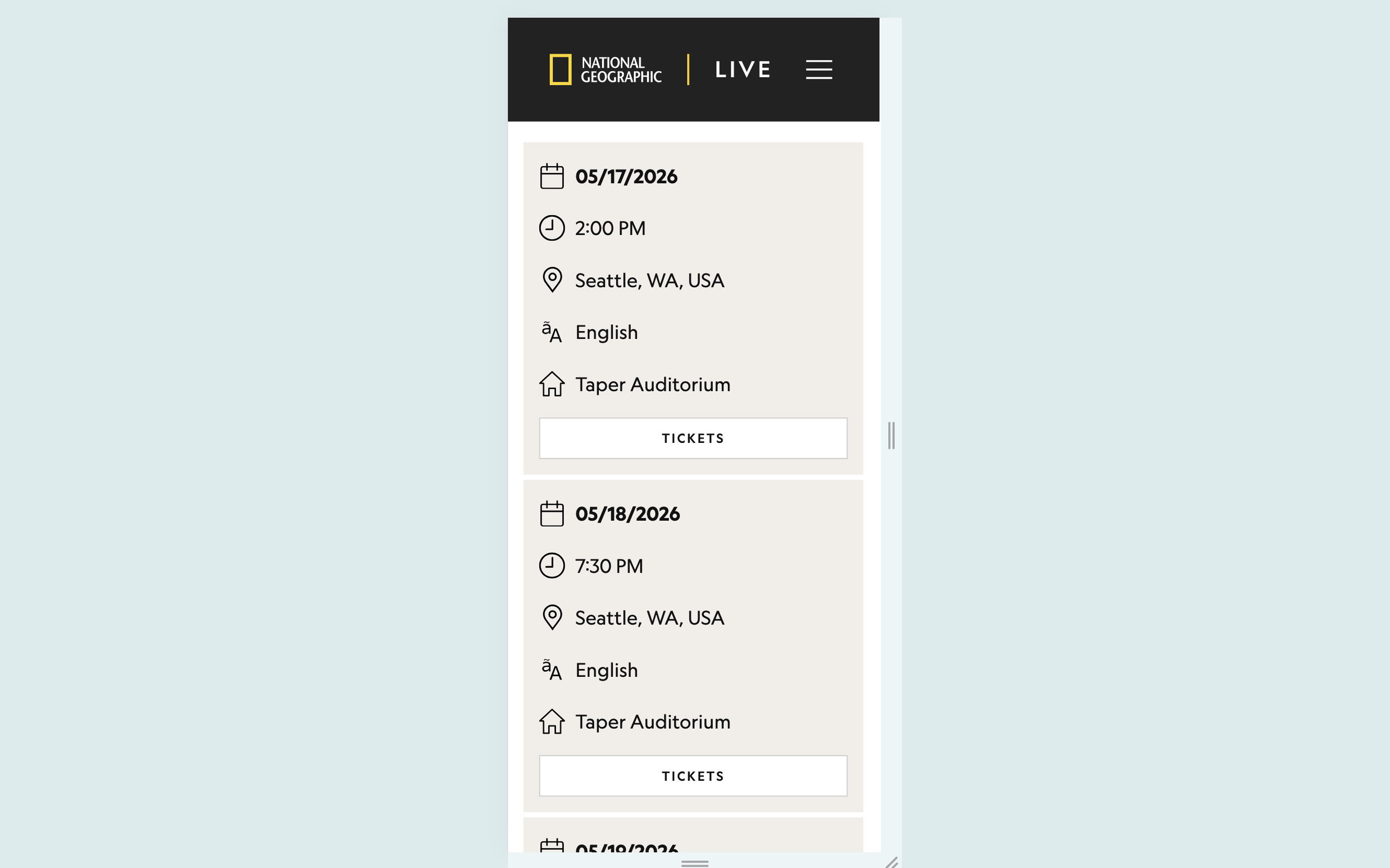
We landed on the design below to showcase the relevant show information, and designed different states to show "sold out" or "coming soon" in instances where tickets weren't available for those reasons. We also designed this to be fully responsive, so mobile users could easily access the information.
Speakers Detail Page
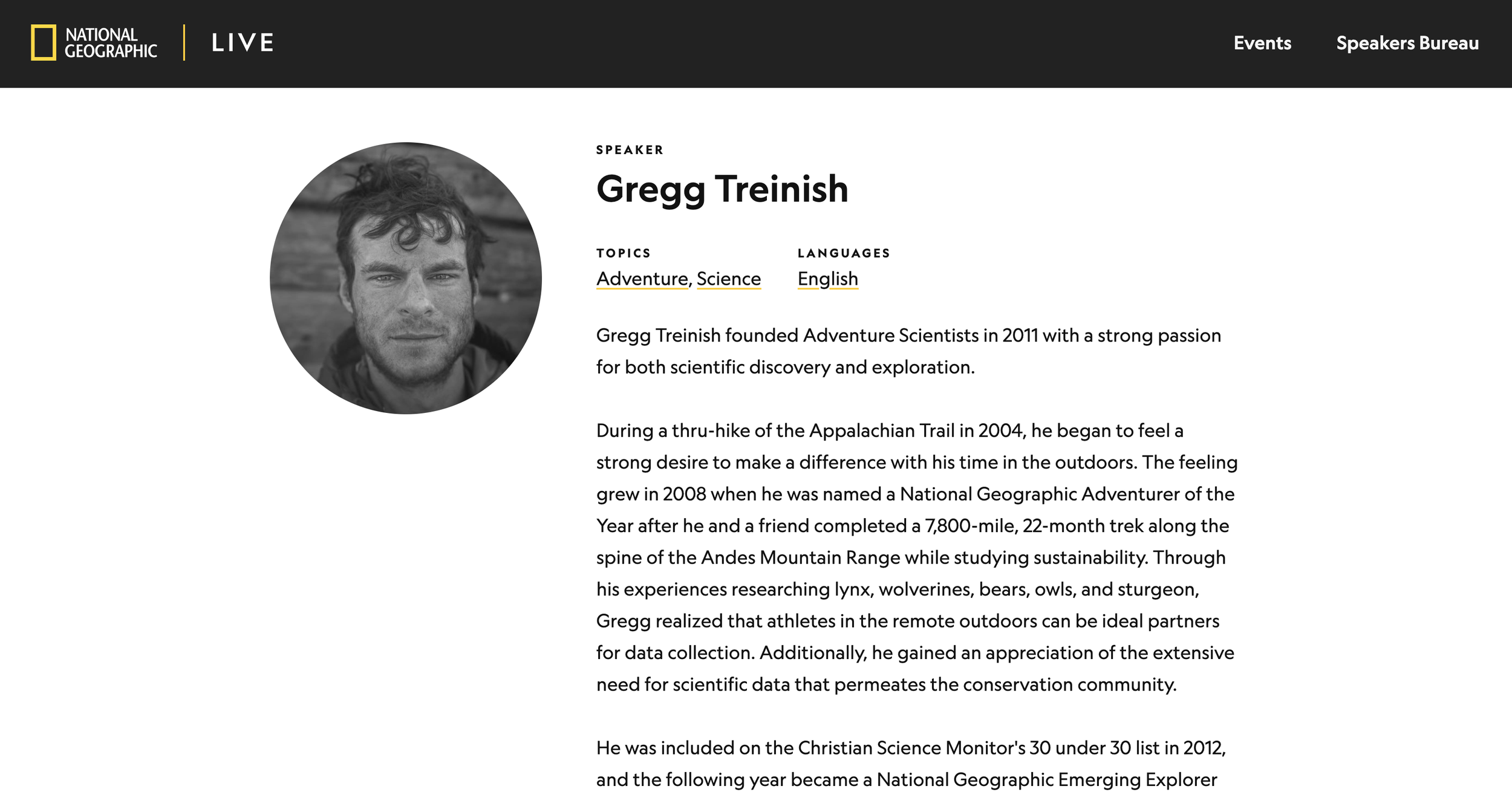
Every speaker for Live also needed their own detail page. We wanted to showcase their photo, topics, languages, and a brief overview of who they were. We automated this page so that when content creators were building the page in our CMS (Sanity), they only had to choose the Explorer from our list of available Explorers, and the rest of the information would populate from Salesforce.
Since some of our information in Salesforce was out of date, we also allowed content creators to break the link to Salesforce and edit any information they needed to.
Searching for Speakers
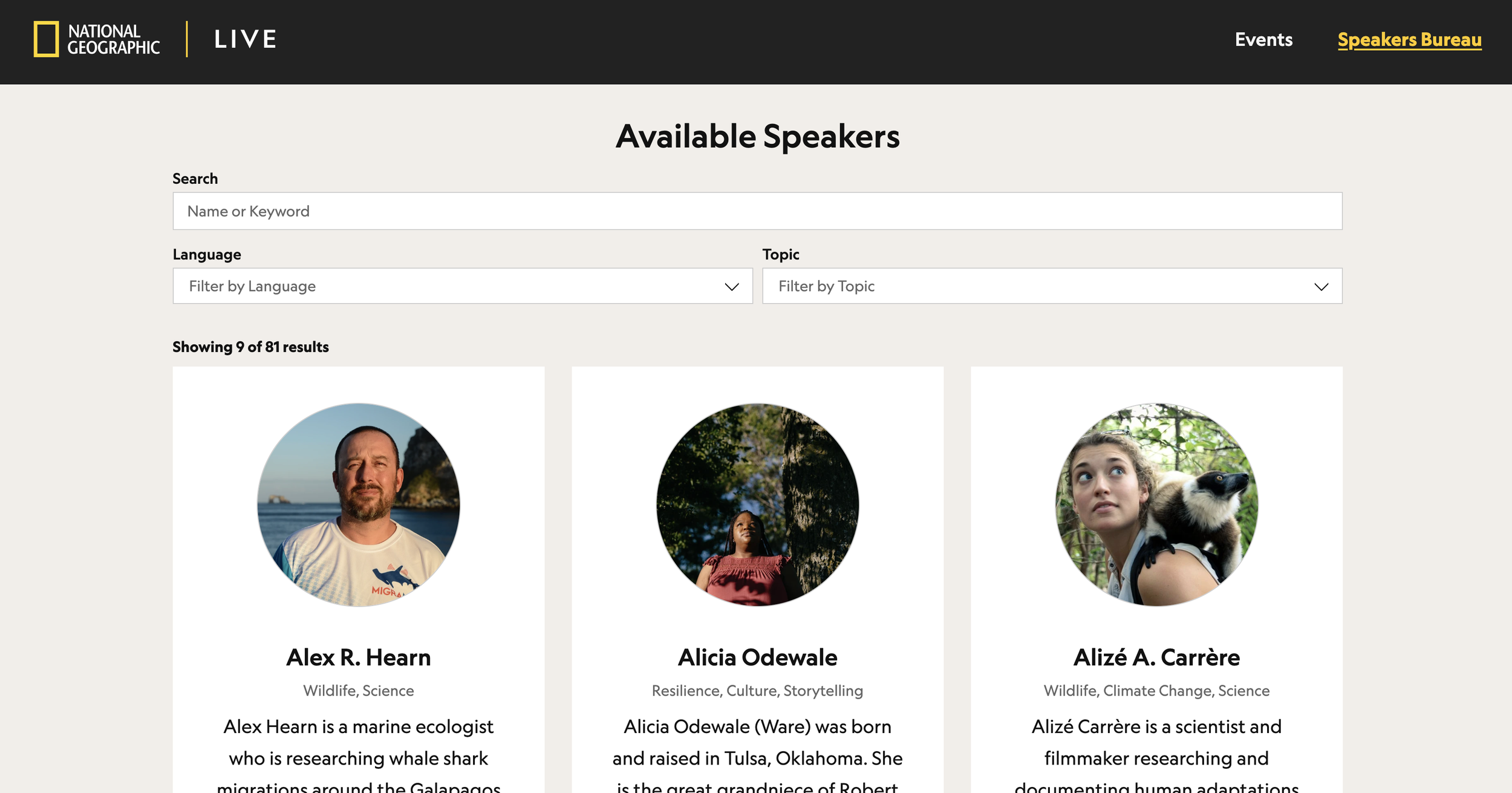
While National Geographic Live has huge events that tour the country, some people also like to book speakers for smaller events, like schools. This is called the Speakers Bureau, and required it's own search page, separate from the events page. While some speakers did also do National Geographic Live events, some of them only travelled to the smaller venues. For this reason, we didn't want the speakers search to be exactly the same as the events search. We chose to shake up the layout by putting the search above the results, and allowing language and topic filters.
The Launch
We launched National Geographic Live in 5 months, in May 2025. It was very well received and a huge step up from the previous version. People were more easily able to book events and content creators were more easily able to add and edit events.